First login
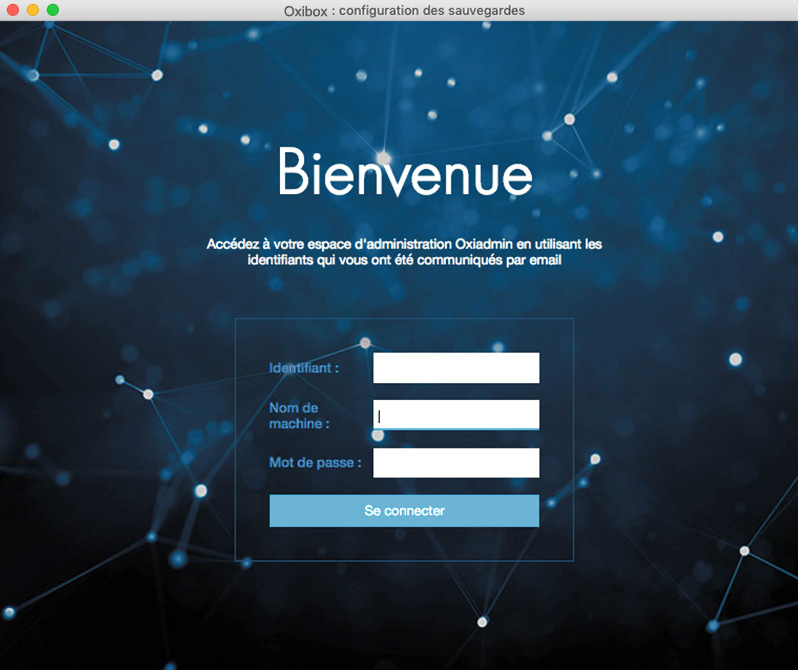
The first time you log in to the backup agent, enter the account settings provided by your Oxibox distributor, along with a machine name.
If you reinstall, the machine name is case-sensitive and lets you recover an existing backup configuration.
Choosing the destination
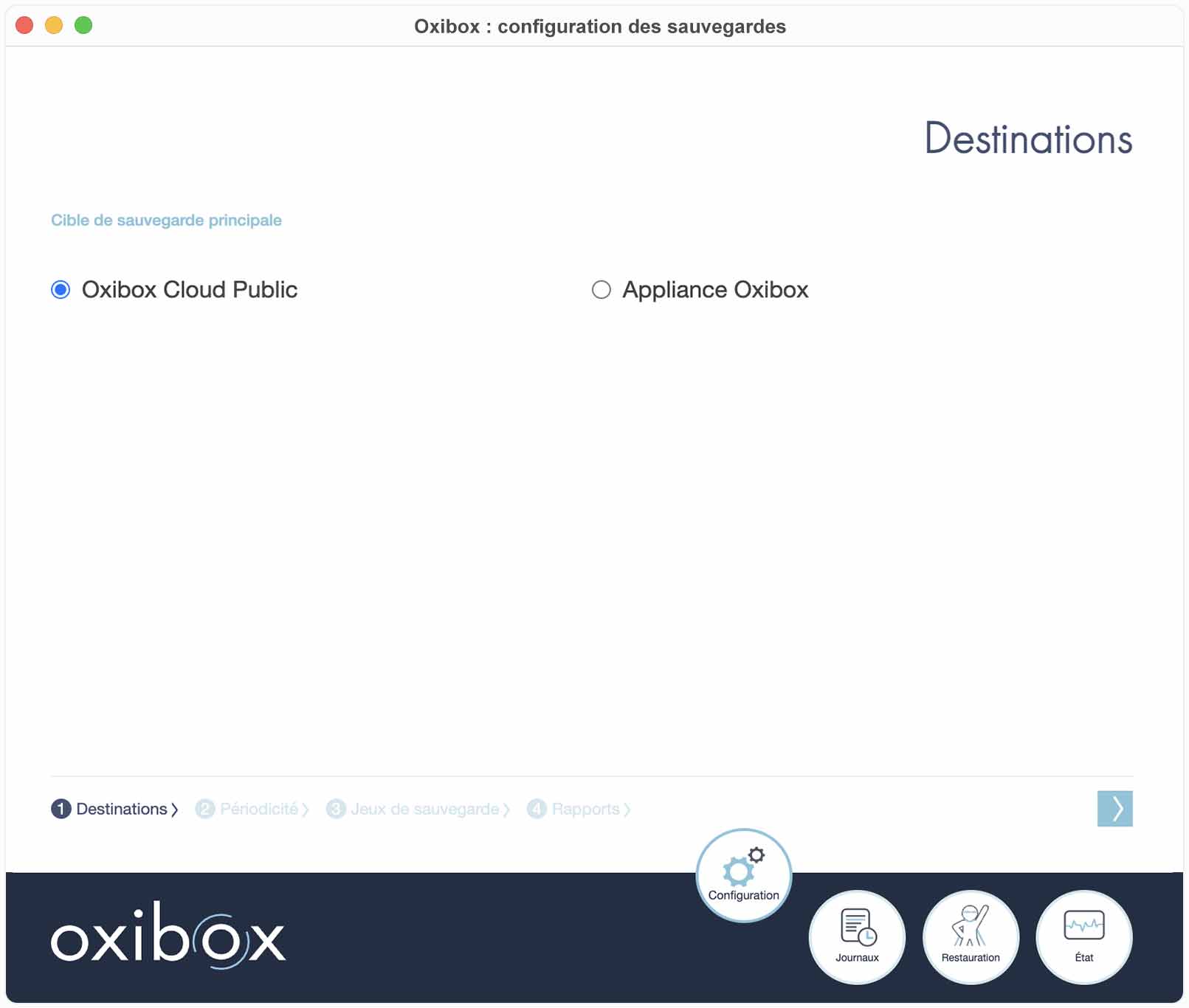
After the installation, you need to select:
- “Oxibox cloud public” (public Oxibox cloud) for a full-cloud account.
- “Appliance Oxibox” (Oxibox appliance) for a solution with hardware.
For hardware, enter the IP address given to the Oxibox.
The user name and the port are preconfigured and should not change in a standard deployment.
This only applies to the first configuration. To change the destination on backup sets that are already configured, see Change the backup destination in the Advanced settings.
Schedule and version history
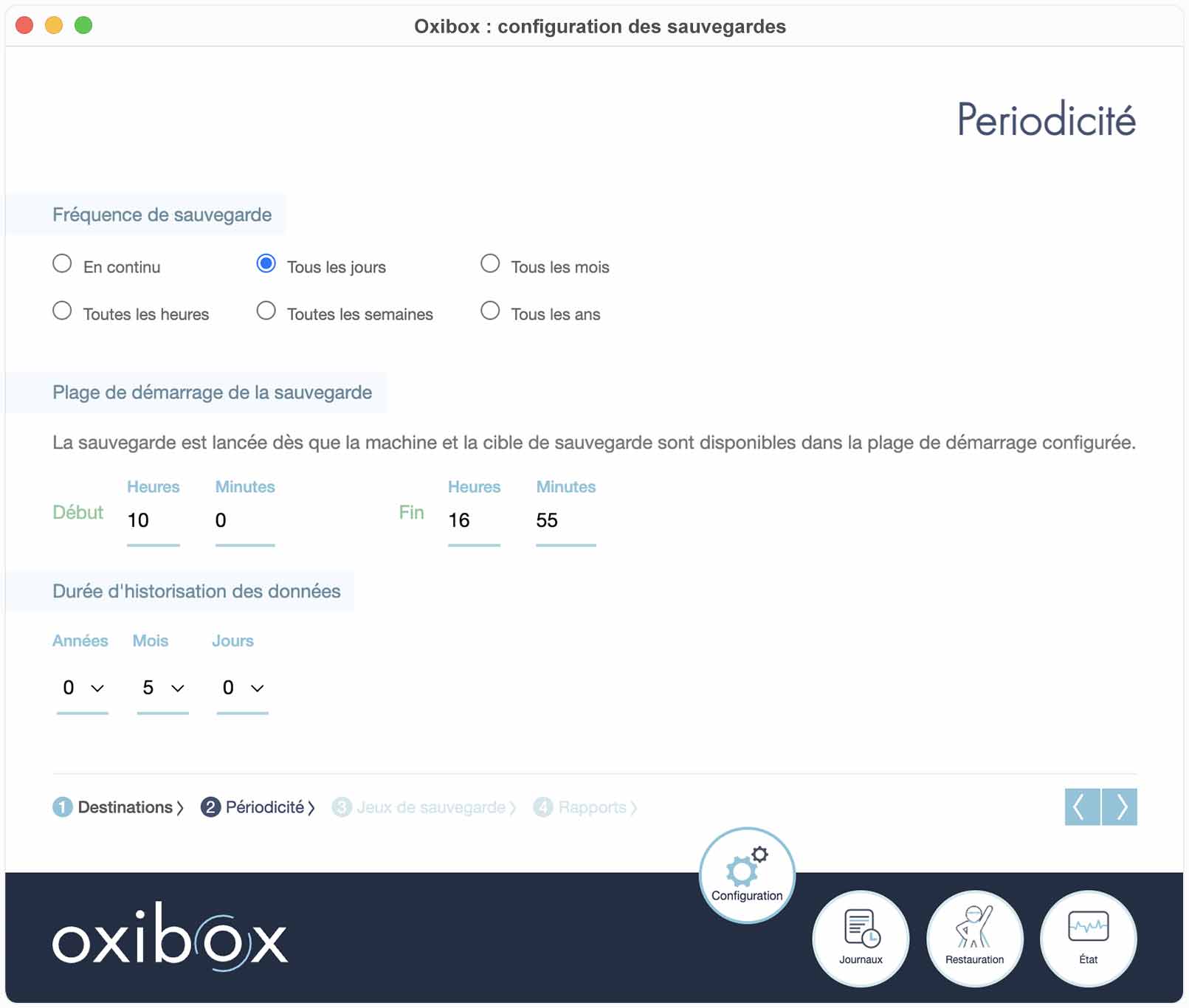
Set the backup schedule according to your needs.
The “en continu” (continuous) schedule suits roaming computers and starts the backup as soon as the computer is connected to the Internet.
You can choose a specific version-history period for the workstation being configured, as well as the best time window for the backup to start.
Version history keeps the different versions of your data for the configured period, up to 10 years.
However, both the backup frequency and the history period affect the volume used.
You can change these settings at any time by going back to the configuration tab and confirming the settings.
Backup sets
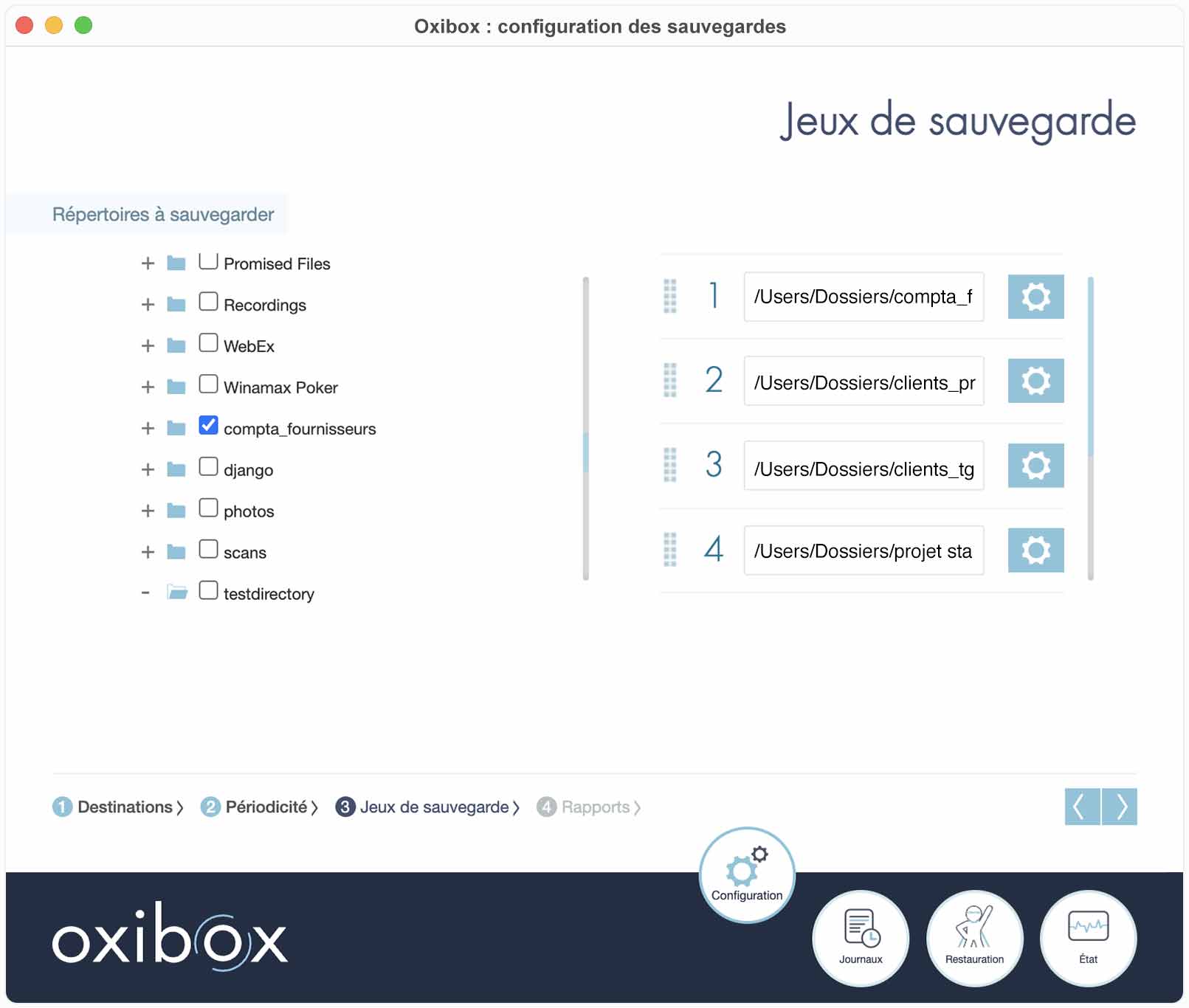
Next, select the source directory or directories in the workstation tree to add them to the list of backup sets.
You can move some directories to the top of the list by dragging them upwards. These directories are processed first when the backup runs.
This feature is especially useful for roaming computers whose backup window depends on an Internet connection.
Advanced settings
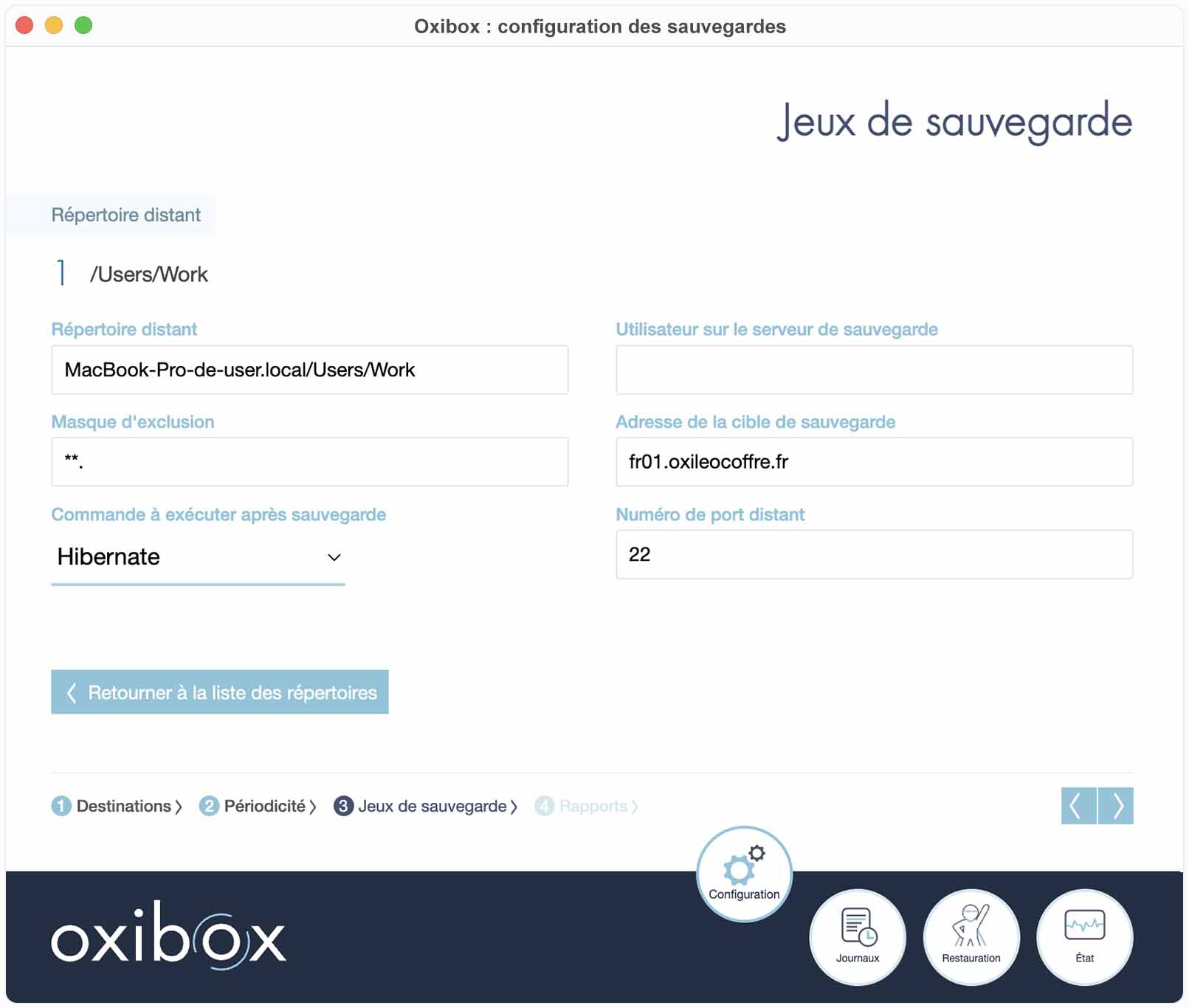
To change the advanced settings of a backup set, click the cogwheel to its right. The advanced settings let you:
Change the backup destination
You can change the destination of the selected backup set by editing the “Utilisateur sur le serveur de sauvegarde” (User on the backup server) and “Adresse de la cible de sauvegarde” (Backup target address) settings. You must do this on every backup set whose backup destination you want to change.
Exclusion mask
Exclusion masks filter out the folders and files that must not be backed up. They can also be used to do the equivalent of an inclusion mask. Below are the different elements needed to write an exclusion mask. If you are unsure about the content of your exclusion mask, do not hesitate to have it checked by our support at support@oxibox.com.
For the examples given throughout this section, we assume that the user has selected C:\Users\MonUtilisateur\Documents as the path to back up, with the following tree:
Documents
|-- Impressions
|   |-- Temporaire
|   |   |-- fichiertemp1.pdf
|   |   |-- fichiertemp2.docx
|   |   |-- fichiertemp3.docx
|   |-- document1.pdf
|   |-- document2.pdf
|-- Notes
|   |-- Temporaire
|   |   |-- texte.txt
|   |-- note1.txt
|   |-- note2.txt
|-- Présentations
|   |-- pres1.pptx
|   |-- pres2.pptx
|   |-- pres3a.pptx
|   |-- pres3b.pptx
|-- Projets
|   |-- Projet 1
|   |   |-- Temporaire
|   |   |   |-- test1.tmp
|   |   |   |-- test2.tmp
|   |-- Projet A
|   |   |-- document.docx
|   |   |-- test.tmp
|   |-- Projet Construction
|-- contrat_abc.docx
|-- document_4410.docx
|-- document_4412.docx
|-- document_4414.docx
|-- document_4416.docx
|-- document_4418.docx
To combine several filters, separate them with the | character.
Example
Exclude the Notes and Impressions folders:
C:\Users\MonUtilisateur\Documents\Notes|C:\Users\MonUtilisateur\Documents\ImpressionsThe exclusion mask can use a syntax close to regular expressions, so that it matches many files without writing out every path concerned. Several special terms are therefore described below. Any other character without a special format matches the literal character. For example, a mask containing Répertoire test only matches that exact string.
*: matches every sequence of characters that are not path separator characters.Examples
Exclude all files with the .tmp extension:
*.tmpHere is the tree that will be backed up; the items excluded from the backup are struck through:
Documents
|-- Impressions
|   |-- Temporaire
|   |   |-- fichiertemp1.pdf
|   |   |-- fichiertemp2.docx
|   |   |-- fichiertemp3.docx
|   |-- document1.pdf
|   |-- document2.pdf
|-- Notes
|   |-- Temporaire
|   |   |-- texte.txt
|   |-- note1.txt
|   |-- note2.txt
|-- Présentations
|   |-- pres1.pptx
|   |-- pres2.pptx
|   |-- pres3a.pptx
|   |-- pres3b.pptx
|-- Projets
|   |-- Projet 1
|   |   |-- Temporaire
|   |   |   |-- t̶e̶s̶t̶1̶.̶t̶m̶p̶
|   |   |   |-- t̶e̶s̶t̶2̶.̶t̶m̶p̶
|   |-- Projet A
|   |   |-- document.docx
|   |   |-- t̶e̶s̶t̶.̶t̶m̶p̶
|   |-- Projet Construction
|-- contrat_abc.docx
|-- document_4410.docx
|-- document_4412.docx
|-- document_4414.docx
|-- document_4416.docx
|-- document_4418.docx
Exclude the folders named Temporaire in all direct subfolders of the Documents folder:
C:\Users\MonUtilisateur\Documents\*\TemporaireHere is the tree that will be backed up; the items excluded from the backup are struck through:
Documents
|-- Impressions
|   |-- T̶e̶m̶p̶o̶r̶a̶i̶r̶e̶
|   |   |-- f̶i̶c̶h̶i̶e̶r̶t̶e̶m̶p̶1̶.̶p̶d̶f̶
|   |   |-- f̶i̶c̶h̶i̶e̶r̶t̶e̶m̶p̶2̶.̶d̶o̶c̶x̶
|   |   |-- f̶i̶c̶h̶i̶e̶r̶t̶e̶m̶p̶3̶.̶d̶o̶c̶x̶
|   |-- document1.pdf
|   |-- document2.pdf
|-- Notes
|   |-- T̶e̶m̶p̶o̶r̶a̶i̶r̶e̶
|   |   |-- t̶e̶x̶t̶e̶.̶t̶x̶t̶
|   |-- note1.txt
|   |-- note2.txt
|-- Présentations
|   |-- pres1.pptx
|   |-- pres2.pptx
|   |-- pres3a.pptx
|   |-- pres3b.pptx
|-- Projets
|   |-- Projet 1
|   |   |-- Temporaire
|   |   |   |-- test1.tmp
|   |   |   |-- test2.tmp
|   |-- Projet A
|   |   |-- document.docx
|   |   |-- test.tmp
|   |-- Projet Construction
|-- contrat_abc.docx
|-- document_4410.docx
|-- document_4412.docx
|-- document_4414.docx
|-- document_4416.docx
|-- document_4418.docx**: matches every sequence of characters, including path separators. This term is useful when you want to match an indefinite number of subdirectories.Example
Exclude all folders named Temporaire, whatever their depth in the tree:
C:\Users\MonUtilisateur\Documents\**\TemporaireHere is the tree that will be backed up; the items excluded from the backup are struck through:
Documents
|-- Impressions
|   |-- T̶e̶m̶p̶o̶r̶a̶i̶r̶e̶
|   |   |-- f̶i̶c̶h̶i̶e̶r̶t̶e̶m̶p̶1̶.̶p̶d̶f̶
|   |   |-- f̶i̶c̶h̶i̶e̶r̶t̶e̶m̶p̶2̶.̶d̶o̶c̶x̶
|   |   |-- f̶i̶c̶h̶i̶e̶r̶t̶e̶m̶p̶3̶.̶d̶o̶c̶x̶
|   |-- document1.pdf
|   |-- document2.pdf
|-- Notes
|   |-- T̶e̶m̶p̶o̶r̶a̶i̶r̶e̶
|   |   |-- t̶e̶x̶t̶e̶.̶t̶x̶t̶
|   |-- note1.txt
|   |-- note2.txt
|-- Présentations
|   |-- pres1.pptx
|   |-- pres2.pptx
|   |-- pres3a.pptx
|   |-- pres3b.pptx
|-- Projets
|   |-- Projet 1
|   |   |-- T̶e̶m̶p̶o̶r̶a̶i̶r̶e̶
|   |   |   |-- t̶e̶s̶t̶1̶.̶t̶m̶p̶
|   |   |   |-- t̶e̶s̶t̶2̶.̶t̶m̶p̶
|   |-- Projet A
|   |   |-- document.docx
|   |   |-- test.tmp
|   |-- Projet Construction
|-- contrat_abc.docx
|-- document_4410.docx
|-- document_4412.docx
|-- document_4414.docx
|-- document_4416.docx
|-- document_4418.docx?: matches any single character that is not a path separator character.Example
Exclude the folders in the Projets folder that start with
Projetfollowed by a single character:
C:\Users\MonUtilisateur\Documents\Projets\Projet ?Here is the tree that will be backed up; the items excluded from the backup are struck through:
Documents
|-- Impressions
|   |-- Temporaire
|   |   |-- fichiertemp1.pdf
|   |   |-- fichiertemp2.docx
|   |   |-- fichiertemp3.docx
|   |-- document1.pdf
|   |-- document2.pdf
|-- Notes
|   |-- Temporaire
|   |   |-- texte.txt
|   |-- note1.txt
|   |-- note2.txt
|-- Présentations
|   |-- pres1.pptx
|   |-- pres2.pptx
|   |-- pres3a.pptx
|   |-- pres3b.pptx
|-- Projets
|   |-- P̶r̶o̶j̶e̶t̶ ̶1̶
|   |   |-- T̶e̶m̶p̶o̶r̶a̶i̶r̶e̶
|   |   |   |-- t̶e̶s̶t̶1̶.̶t̶m̶p̶
|   |   |   |-- t̶e̶s̶t̶2̶.̶t̶m̶p̶
|   |-- P̶r̶o̶j̶e̶t̶ ̶A̶
|   |   |-- d̶o̶c̶u̶m̶e̶n̶t̶.̶d̶o̶c̶x̶
|   |   |-- t̶e̶s̶t̶.̶t̶m̶p̶
|   |-- Projet Construction
|-- contrat_abc.docx
|-- document_4410.docx
|-- document_4412.docx
|-- document_4414.docx
|-- document_4416.docx
|-- document_4418.docx
[ ]and[^ ]: formats in square brackets match a range of characters.For example, you can use
[A-Z]or[a-z]to match any uppercase or lowercase letter respectively.[0-9]matches any digit.You can also combine the different elements, for example to match any uppercase or lowercase letter with
[A-Za-z].The form with
^inverts the condition. For example, to match a character that is anything but a digit:[^0-9].Examples
Exclude the
.docxfiles in the Documents folder whose name isdocument_441x, wherexis a digit from 0 to 5 inclusive:
C:\Users\MonUtilisateur\Documents\document_441[0-5].docxHere is the tree that will be backed up; the items excluded from the backup are struck through:
Documents
|-- Impressions
|   |-- Temporaire
|   |   |-- fichiertemp1.pdf
|   |   |-- fichiertemp2.docx
|   |   |-- fichiertemp3.docx
|   |-- document1.pdf
|   |-- document2.pdf
|-- Notes
|   |-- Temporaire
|   |   |-- texte.txt
|   |-- note1.txt
|   |-- note2.txt
|-- Présentations
|   |-- pres1.pptx
|   |-- pres2.pptx
|   |-- pres3a.pptx
|   |-- pres3b.pptx
|-- Projets
|   |-- Projet 1
|   |   |-- Temporaire
|   |   |   |-- test1.tmp
|   |   |   |-- test2.tmp
|   |-- Projet A
|   |   |-- document.docx
|   |   |-- test.tmp
|   |-- Projet Construction
|-- contrat_abc.docx
|-- d̶o̶c̶u̶m̶e̶n̶t̶_̶4̶4̶1̶0̶.̶d̶o̶c̶x̶
|-- d̶o̶c̶u̶m̶e̶n̶t̶_̶4̶4̶1̶2̶.̶d̶o̶c̶x̶
|-- d̶o̶c̶u̶m̶e̶n̶t̶_̶4̶4̶1̶4̶.̶d̶o̶c̶x̶
|-- document_4416.docx
|-- document_4418.docx
To exclude from the Présentations folder the files whose name starts with pres and does not end with a digit before the .pptx extension, we can combine with * so that the mask stays valid with future file names such as pres33a.pptx:
C:\Users\MonUtilisateur\Documents\Présentations\pres*[^0-9].pptxHere is the tree that will be backed up; the items excluded from the backup are struck through:
Documents
|-- Impressions
|   |-- Temporaire
|   |   |-- fichiertemp1.pdf
|   |   |-- fichiertemp2.docx
|   |   |-- fichiertemp3.docx
|   |-- document1.pdf
|   |-- document2.pdf
|-- Notes
|   |-- Temporaire
|   |   |-- texte.txt
|   |-- note1.txt
|   |-- note2.txt
|-- Présentations
|   |-- pres1.pptx
|   |-- pres2.pptx
|   |-- p̶r̶e̶s̶3̶a̶.̶p̶p̶t̶x̶
|   |-- p̶r̶e̶s̶3̶b̶.̶p̶p̶t̶x̶
|-- Projets
|   |-- Projet 1
|   |   |-- Temporaire
|   |   |   |-- test1.tmp
|   |   |   |-- test2.tmp
|   |-- Projet A
|   |   |-- document.docx
|   |   |-- test.tmp
|   |-- Projet Construction
|-- contrat_abc.docx
|-- document_4410.docx
|-- document_4412.docx
|-- document_4414.docx
|-- document_4416.docx
|-- document_4418.docx!: cancels the exclusion of what follows. This is needed to do the equivalent of an inclusion mask.The equivalent of an inclusion mask means excluding the entire content of a folder, then cancelling the exclusion on a selection of paths with the
!character. It works like the.gitignoresyntax.Example
Exclude all the content of the Documents folder EXCEPT the Projets and Présentations subfolders, which will be backed up:
C:\Users\MonUtilisateur\Documents\*|!C:\Users\MonUtilisateur\Documents\Projets|!C:\Users\MonUtilisateur\Documents\PrésentationsHere is the tree that will be backed up; the items excluded from the backup are struck through:
Documents
|-- I̶m̶p̶r̶e̶s̶s̶i̶o̶n̶s̶
|   |-- T̶e̶m̶p̶o̶r̶a̶i̶r̶e̶
|   |   |-- f̶i̶c̶h̶i̶e̶r̶t̶e̶m̶p̶1̶.̶p̶d̶f̶
|   |   |-- f̶i̶c̶h̶i̶e̶r̶t̶e̶m̶p̶2̶.̶d̶o̶c̶x̶
|   |   |-- f̶i̶c̶h̶i̶e̶r̶t̶e̶m̶p̶3̶.̶d̶o̶c̶x̶
|   |-- d̶o̶c̶u̶m̶e̶n̶t̶1̶.̶p̶d̶f̶
|   |-- d̶o̶c̶u̶m̶e̶n̶t̶2̶.̶p̶d̶f̶
|-- N̶o̶t̶e̶s̶
|   |-- T̶e̶m̶p̶o̶r̶a̶i̶r̶e̶
|   |   |-- t̶e̶x̶t̶e̶.̶t̶x̶t̶
|   |-- n̶o̶t̶e̶1̶.̶t̶x̶t̶
|   |-- n̶o̶t̶e̶2̶.̶t̶x̶t̶
|-- Présentations
|   |-- pres1.pptx
|   |-- pres2.pptx
|   |-- pres3a.pptx
|   |-- pres3b.pptx
|-- Projets
|   |-- Projet 1
|   |   |-- Temporaire
|   |   |   |-- test1.tmp
|   |   |   |-- test2.tmp
|   |-- Projet A
|   |   |-- document.docx
|   |   |-- test.tmp
|   |-- Projet Construction
|-- c̶o̶n̶t̶r̶a̶t̶_̶a̶b̶c̶.̶d̶o̶c̶x̶
|-- d̶o̶c̶u̶m̶e̶n̶t̶_̶4̶4̶1̶0̶.̶d̶o̶c̶x̶
|-- d̶o̶c̶u̶m̶e̶n̶t̶_̶4̶4̶1̶2̶.̶d̶o̶c̶x̶
|-- d̶o̶c̶u̶m̶e̶n̶t̶_̶4̶4̶1̶4̶.̶d̶o̶c̶x̶
|-- d̶o̶c̶u̶m̶e̶n̶t̶_̶4̶4̶1̶6̶.̶d̶o̶c̶x̶
|-- d̶o̶c̶u̶m̶e̶n̶t̶_̶4̶4̶1̶8̶.̶d̶o̶c̶x̶Microsoft 365 Exchange exclusion mask
You can exclude addresses and/or data types from the Microsoft 365 Exchange backup. You cannot use the same special terms (such as *) as in a standard exclusion mask. As a reminder, Exchange contains 3 types of data: e-mails (messages), calendars (calendars) and contacts (contacts).
To exclude an address, simply enter it in the mask. All the Exchange data of that address (e-mails, calendars and contacts) is excluded from the backup. You can exclude several addresses by separating them with the | character.
Example
Exclude all the content of the addresses alice@exemple.fr and bob@example.com:
alice@exemple.fr|bob@example.comTo specify which data type or types to exclude for an address, use the terms:
- messages to exclude e-mails
- calendars to exclude calendars
- contacts to exclude contacts
Use a comma , to separate the data types. These terms can be used in any order and can be combined.
Example
Exclude all the content of the address alice@exemple.fr, exclude only the contacts of bob@example.com and exclude the e-mails and calendars of the address john@doe.com:
alice@exemple.fr|bob@example.com,contacts|john@doe.com,messages,calendarsAction to run after the backup
You can choose which action runs after the selected set is backed up, and only if that backup succeeds. The options are to do nothing, put the machine to sleep or shut it down.
Backup reports
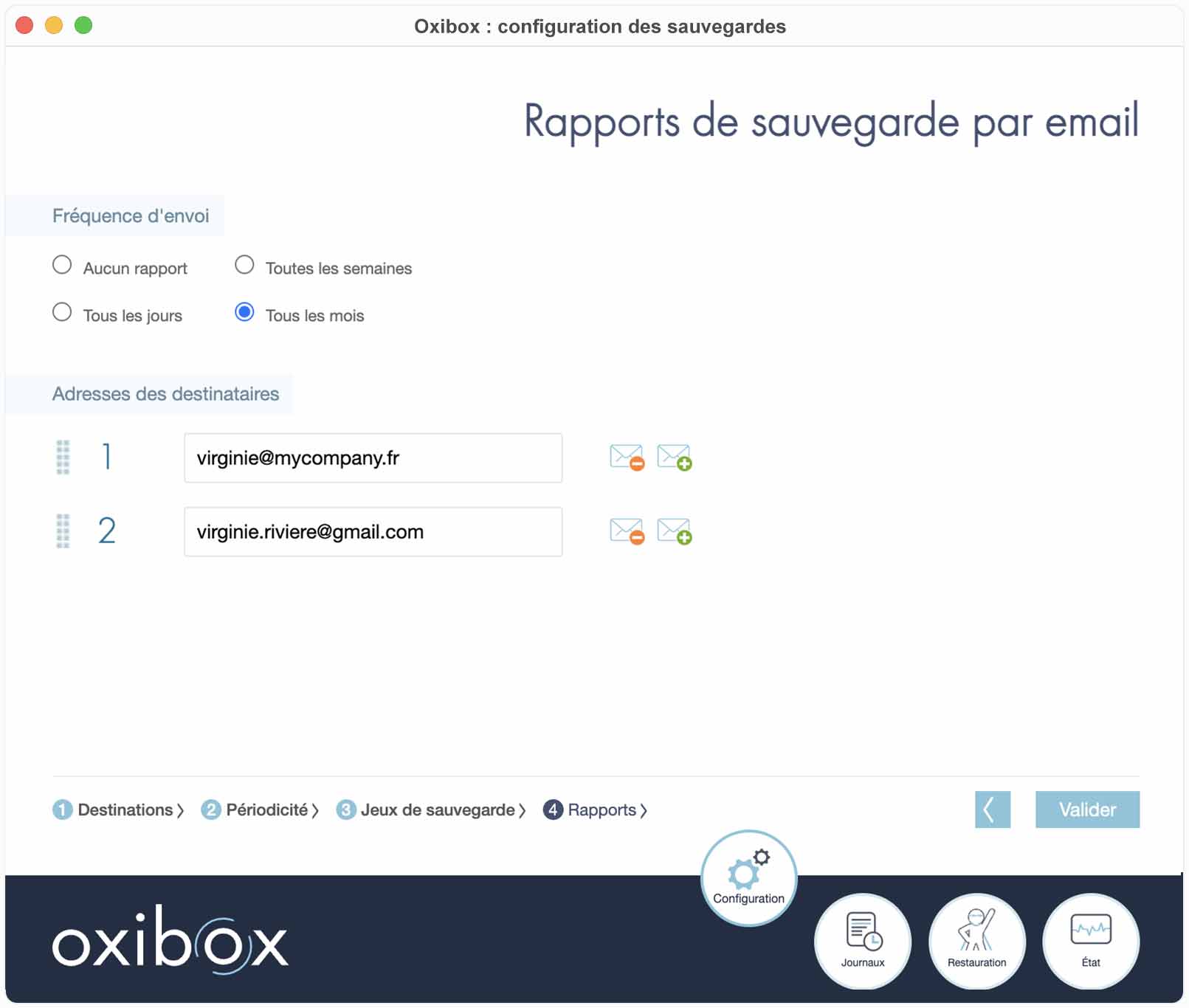
To make sure the backup runs properly, you can ask to receive a backup report by e-mail and choose how often it is sent and who receives it.
Backup logs
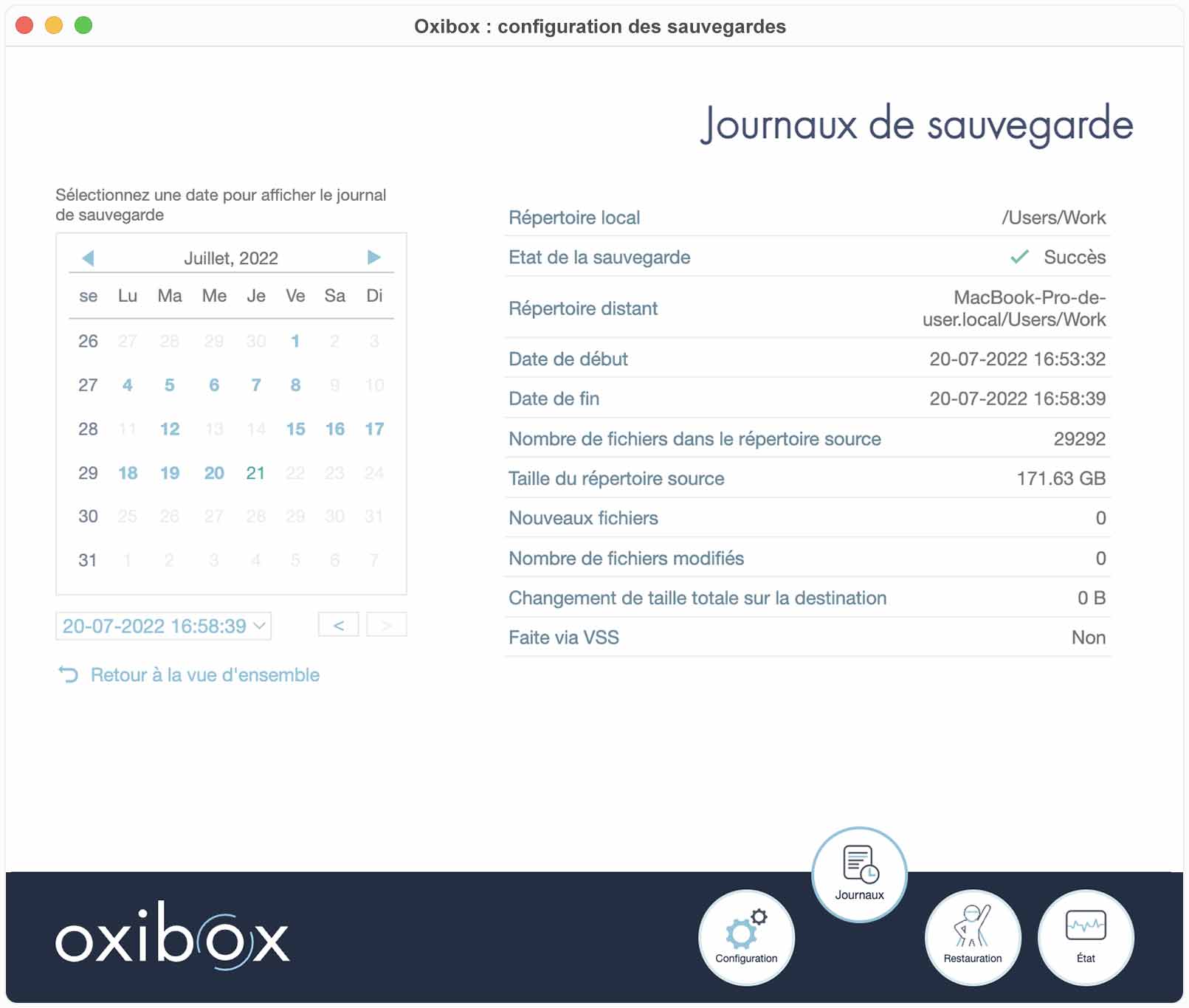
The backup reports are also visible in the “Journaux de sauvegarde” (Backup logs) tab.
The backup log records all the details of a backup job: its run date, the target and the source, the volume backed up, the success or, where applicable, the details of an incident, etc.
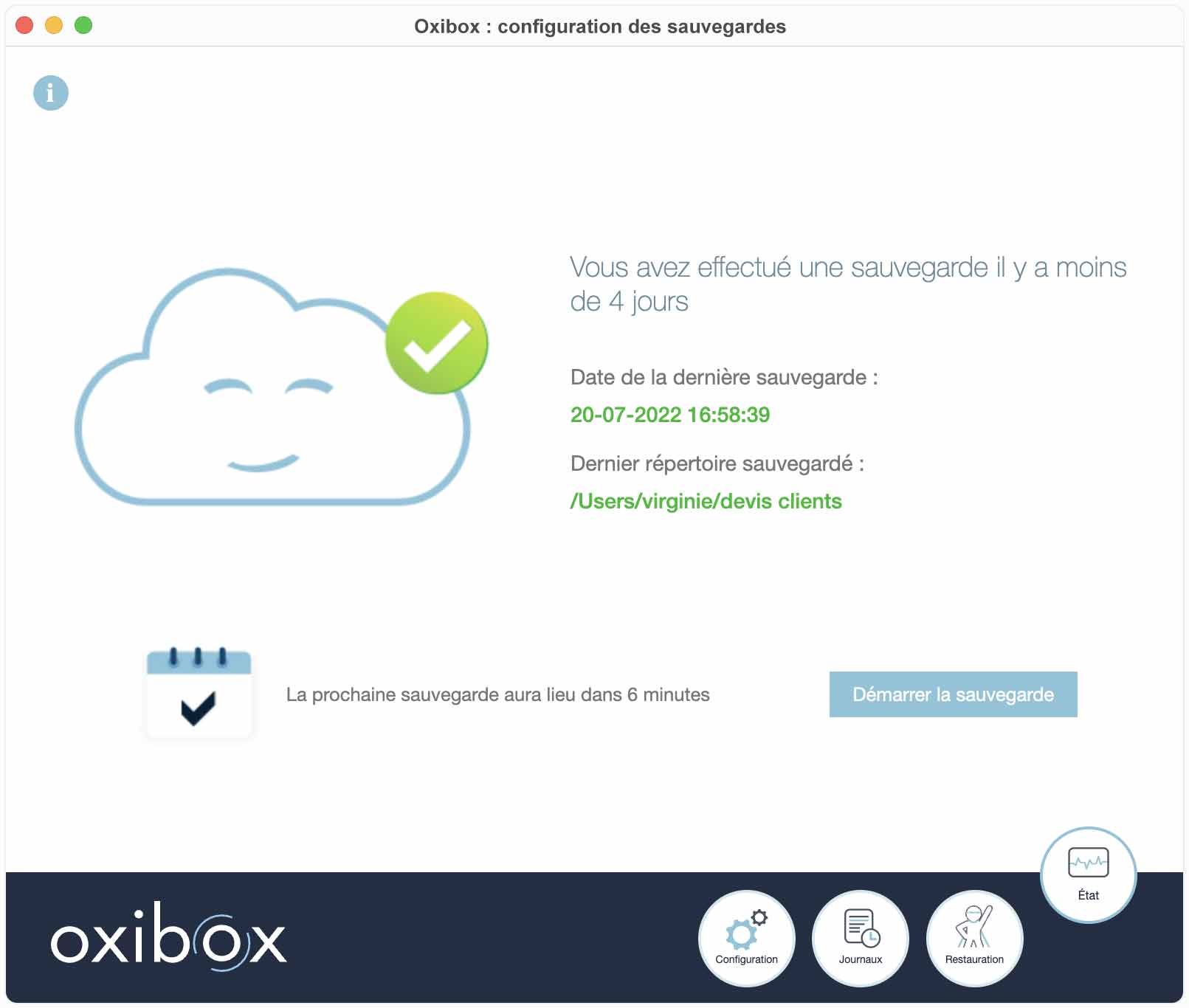
Backup status
Each time it starts, the agent shows you the backup status.
From this tab you can also start the backup outside its time window and check the version installed on the machine.
Configuration reports
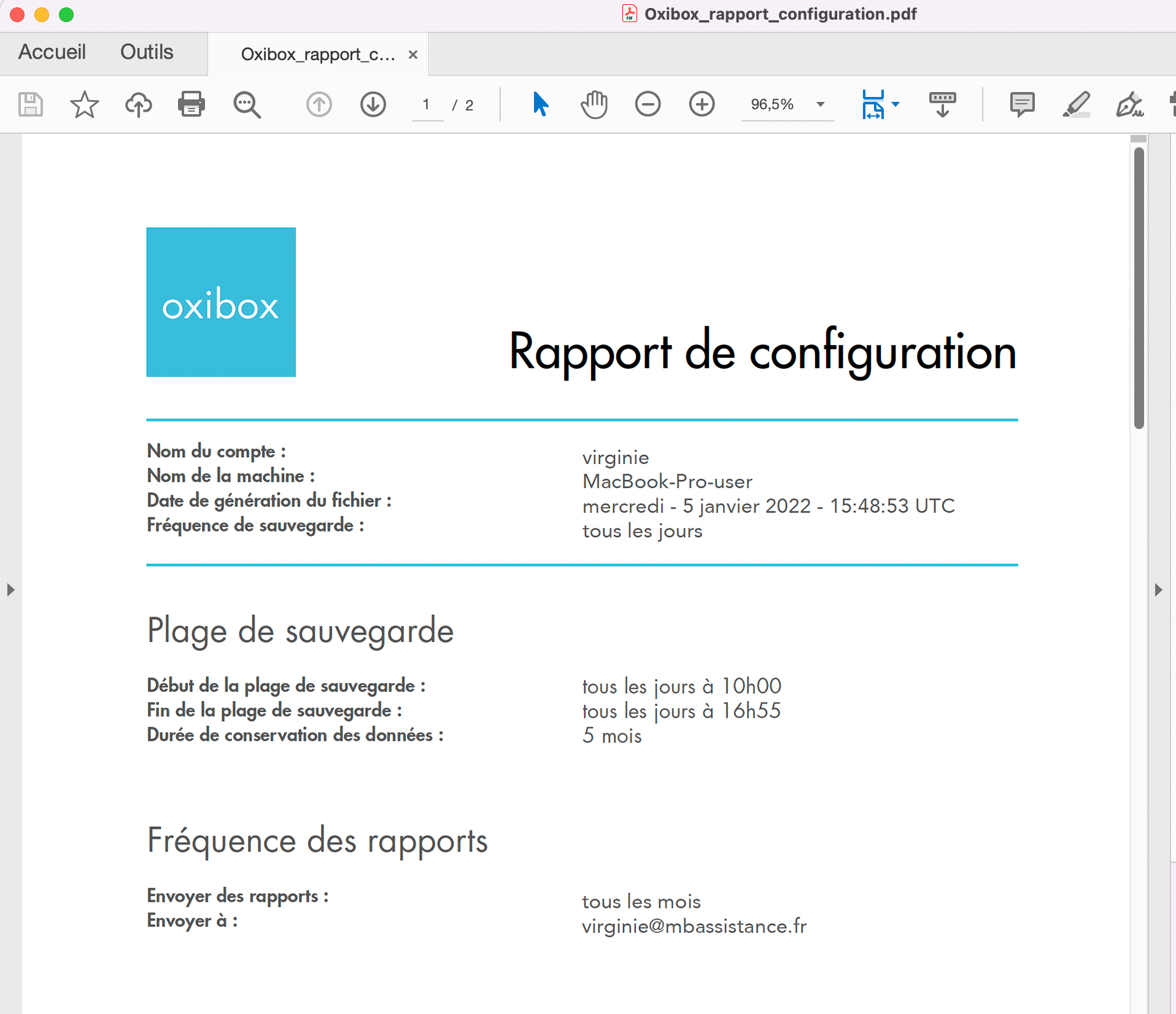
Once the configuration is confirmed, you can generate a report that records the details of the chosen configuration, precisely for each backup job.
This configuration report is archived by us with a timestamp that has evidential value.
This PDF document can be countersigned to show that a backup solution has been properly implemented, and therefore that it complies with legal requirements (for example under the GDPR) or regulatory requirements.