
The event viewer records the logins and sensitive actions performed on the accounts you manage. It makes operations traceable, a key point for backup security. You can open it from the console's main menu, under “Event viewer”.
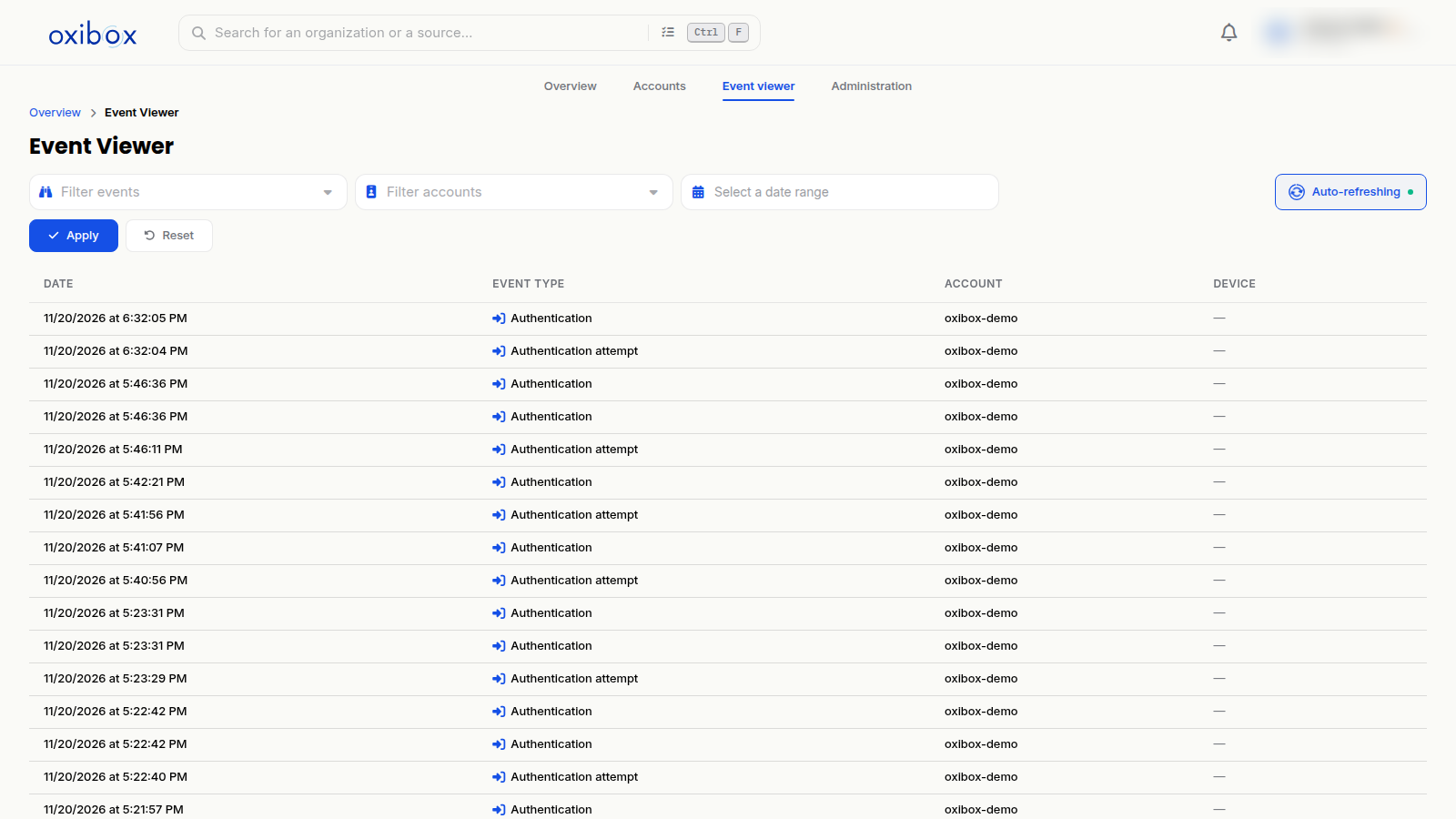
Read and filter events
Each row shows the date and time, the event type, the account and, where relevant, the device concerned.
The filters at the top of the page narrow the list:
- by event type (“Filter events”);
- by account (“Filter accounts”);
- by period, using the date range selector.
Click “Apply” to filter and “Reset” to return to the full list. The “Auto-refreshing” option keeps the list up to date, and the refresh button reloads it immediately.
Recorded events
- Logins: Authentication, Authentication attempt.
- Users: User creation, User deactivation, User reactivation, User deletion, User information modification, User email address modification, User password modification, User role modification, Email modification link creation, User password modification link creation.
- Two-factor authentication: User MFA device addition, User MFA device deletion, MFA management link creation (legacy).
- Organisations: Organization creation, Organization information modification, Organization permission modification, Subscription modification, Allocated storage modification.
- Machines and backups: Machine registration, Machine archiving, Machine unarchiving, Machine backup target addition, Machine backup target deletion, Machine configuration update.
- Agent local interface: Local interface locking, Local interface unlocking.
Who can view it
The event viewer is restricted to the Owner, Administrator and Auditor roles. The Backup operator and Viewer roles cannot access it. See Users and roles.
The “Activity” tab of an account panel also shows the recent events of that account alone.